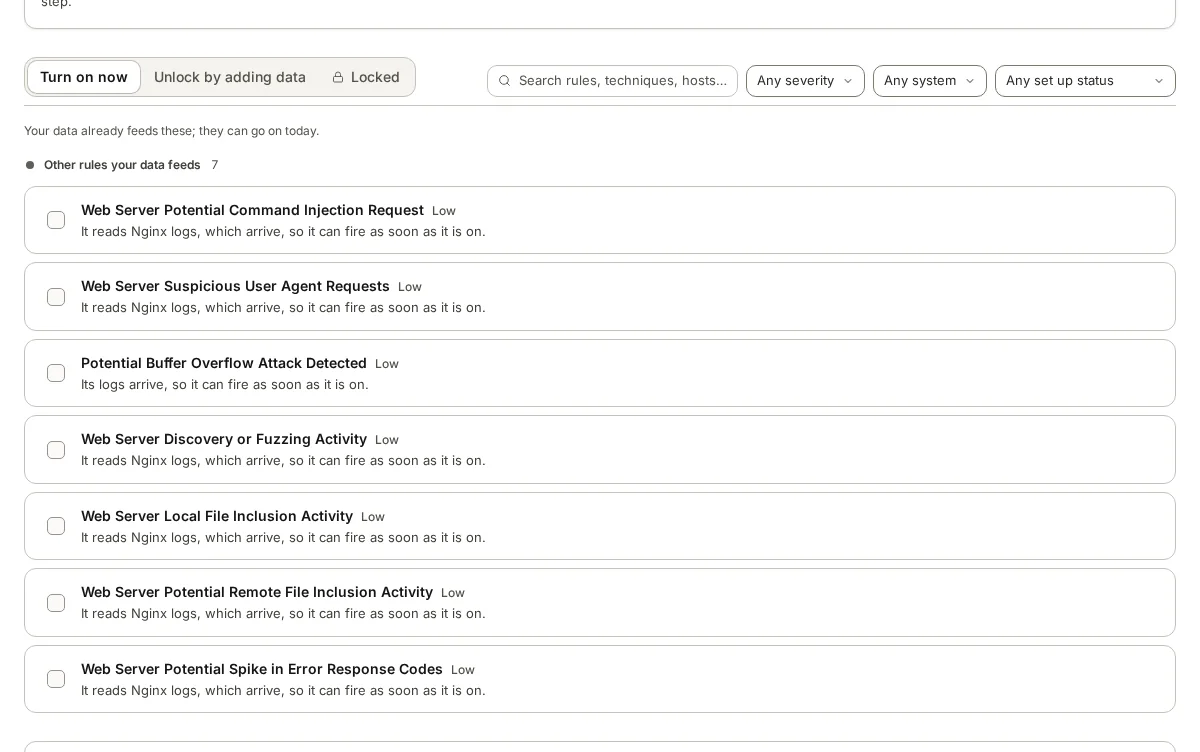
Rules matched to your data
Rules are sorted by whether the data they need is already arriving, so you turn on the ones that will work today and see what to add for the rest.
Detection rules
Before a new detection rule goes live, armor360 shows how often it would have fired on the alerts you already have, so a noisy rule is caught before it wakes anyone.
Too few rules and attacks go unseen. Too many, or too loose, and the real alerts drown.
A rule that needs logs you do not collect looks like coverage but catches nothing.
A rule that fires hundreds of times a day is usually found out after it goes live, by the people it wakes.
Which attack techniques do your rules actually cover? The answer is rarely written down.
A rule switched off to quieten a bad night may never come back on.
A draft rule is run against the alerts you already store, so you know how often it would fire before it is switched on.
Would have fired 473 times
Would have fired 3 times
Rules are sorted by whether the data they need is already arriving, so you turn on the ones that will work today and see what to add for the rest.
Before a rule goes live, armor360 shows how often it would have fired on the alerts you already store. A rule that would have fired too often is caught before it reaches anyone.
Ask the agent to draft a rule and it writes one for your SIEM, which you can narrow or edit before it goes for approval.
An ATT&CK report shows which attack techniques your live rules cover and where the gaps are, ready in minutes rather than built by hand.
A rule goes live when a person approves it, and switching a rule off needs two administrators to agree. The record shows who did what.
Each rule in the library is sorted by whether the data it needs is already arriving: ready now, needs more data, or locked.
Pick a ready rule from the library, or ask the agent to draft one in plain words. You can narrow or edit the draft before it goes further.
armor360 shows how often the rule would have fired on your stored past alerts, so a noisy rule is caught while it is still a draft.
A person approves the rule before it goes live. Switching a rule off later needs two administrators, and each change is kept in the audit trail.
Every rule is sorted by whether it can work on your data today.
See how often a rule would have fired before it is switched on.
Ask for a rule in plain words, then narrow or edit the draft.
Techniques covered and gaps, in one report.
Nothing goes live without someone saying yes.
Turning a rule off needs two administrators.
Rules are switched on in your SIEM, starting with Elastic Security, so they run where your data already is. armor360 manages which rules are live, checks them against your past alerts and keeps the record of each change.
Because turning a rule off removes protection, and it is the change most likely to be made in a hurry. Asking a second administrator to agree keeps a quiet night from becoming a permanent gap. Switching a rule on needs one person’s approval.
A report of which MITRE ATT&CK techniques your live rules cover and which they do not. It is built from the rules you actually run, so it shows your real coverage rather than a vendor’s list.
Start a free pilot on your own alerts, or put in your own numbers first.