Skip to content

For managed security providers

Many customers, each kept apart.

Run the first look for every customer you serve from one platform, with each customer’s people, connections, settings and records kept apart from every other customer’s.

One platform, a space per customerarmor360Customer ACustomer BCustomer CCustomer DCustomer ECustomer F
Illustrated example: each customer keeps its own connections, people, settings and record. Verdicts only ever return to the space they came from.

Every customer is different, every queue is long.

A provider’s analysts switch between customers all day, and every switch costs time and attention.

  • More customers, same team

    Each new contract brings its own alert queue. If each alert needs an analyst’s first look, growth means hiring at the same pace, and margins shrink with every customer you win.

  • Context for each customer

    Which machine runs payments at one customer and which account is a service account at another: analysts carry this for dozens of environments, and mix-ups are easy to make.

  • Separation you can show

    Customers expect their data to stay theirs. You need to show that one customer’s alerts, people and settings never mix with another’s, and that every action is on record.

  • Reports take hours

    Turning an investigation into something a customer’s manager can read is slow, careful writing. It is often done late, after the technical work is finished and the next alert is waiting.

Each customer in a space of its own.

Different tools, models and people per customer, on one platform.

One platform, a tenant per customerIllustrated example
Customer A Elastic Security armor360 AI, on-premises 4 people, own audit trail
Customer B Splunk armor360 AI, hosted 2 people, own audit trail
Customer C Microsoft Sentinel Their own model 3 people, own audit trail
Each customer has its own people, connections, AI model choice, limits and audit trail. Nothing crosses from one tenant to another.

One platform, a tenant per customer

Each customer is its own tenant, with its own people, connections, settings, usage limits and audit trail. Your analysts work across the customers they are allowed to see, and nothing from one tenant appears in another. Adding a customer means adding a tenant, not another system to run.

  • Separate people and sign-in for each customer
  • Separate connections to each customer’s tools
  • Separate usage limits and audit trail

Every customer’s queue, worked first by the agent

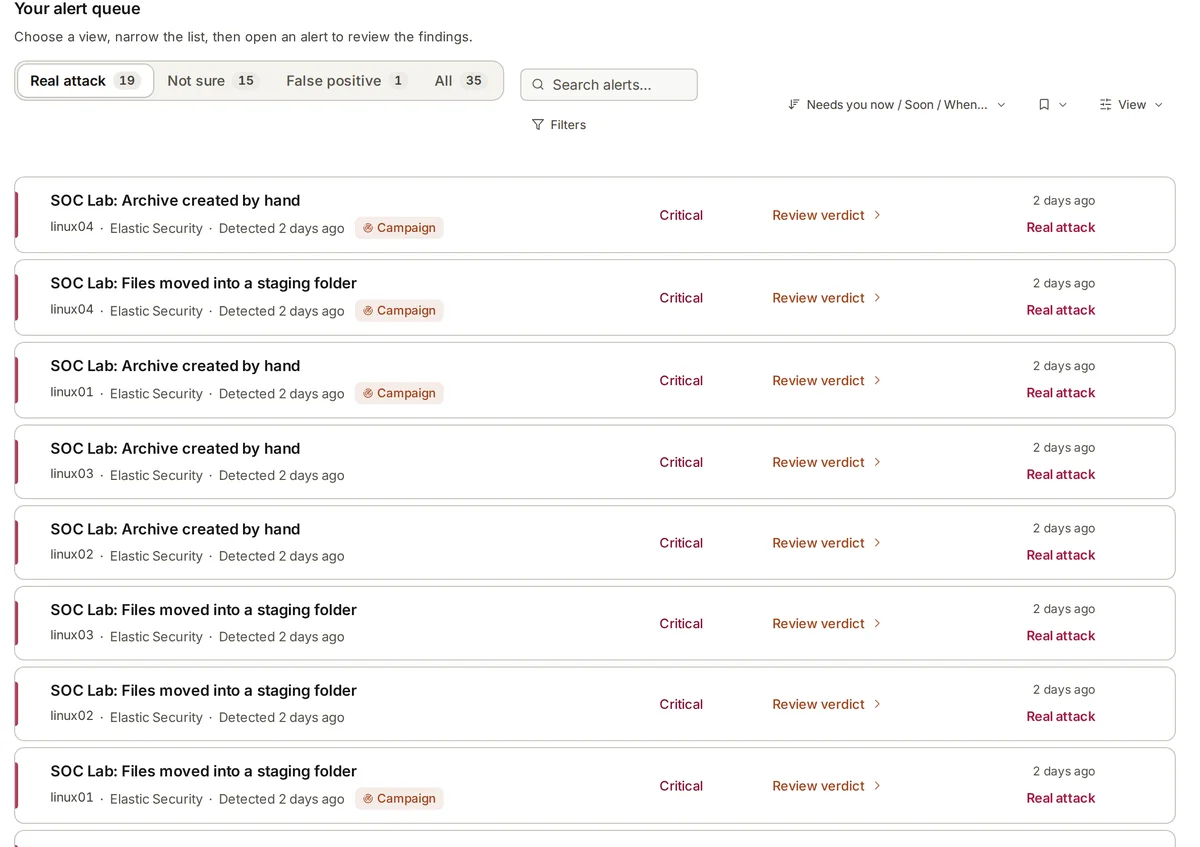
New alerts from each customer are collected automatically and given a verdict, real attacks first. Your analysts start from the agent’s conclusions and the evidence behind them, and spend their attention on the alerts that need a person rather than on the routine checks that come before.

Attacks told as one story

Alerts that belong to the same attack are joined into one campaign, with its stages from first to last, the machines and accounts it touched and the business processes it puts at risk. In our lab, twelve alerts from five rules became one attack, from discovery to collection.

Settings that fit each customer

Which AI model a customer uses, whether anything may be sent outside its environment and how much it may use are set customer by customer. A customer who needs everything kept on its own hardware can have that, while another is hosted for them.

Reports your customers can read

Investigations can be shared as reports in HTML, Word or PDF, written for the people who receive them. A customer’s manager gets a plain account of what happened and what is recommended, with the evidence there for their own technical staff to follow.
How it works for a provider.

  1. 1

    Add a tenant

    Each new customer becomes a tenant with its own people, connections, settings, AI model choice, usage limits and audit trail, on the platform you already run.

  2. 2

    Connect their tools

    Connect that customer’s Elastic Security, Splunk, Microsoft Sentinel, CrowdStrike Falcon or Microsoft Defender, and record their important systems, business processes and urgent contacts.

  3. 3

    The agent looks first

    New alerts from each customer are investigated inside that customer’s tenant, using only its own data, its own context and the corrections remembered for it.

  4. 4

    Analysts review and report

    Your analysts check verdicts for the customers they may see, approve plan steps and share plain reports with each customer, built only from that customer’s data.

Built for serving many customers.

  • Tenant per customer

    People, connections, settings and records kept separate for each customer you serve, on one platform you run once.

  • Business context per customer

    Each customer’s important systems, business processes and urgent contacts, used in every verdict and campaign for that customer.

  • Memory per customer

    Corrections your analysts make are remembered for later investigations about the same customer, and never carried over to another.

  • Usage limits

    Set how much each customer may use, so one busy environment does not crowd out the others.

  • Audit trail per customer

    Who approved what and when, kept separately for each customer and ready to show them when they ask.

  • Findings routed per customer

    Each customer’s findings go to the Slack, Teams, PagerDuty, email or ticket queue set for that customer.

Serving many customers, by hand and with armor360.

TopicBy hand todayWith armor360
Adding a customerEach new contract brings another queue and, before long, a request for another analyst to cover it. A new customer is a new tenant on the same platform, with the first look on its alerts done by the agent.
Switching contextAnalysts carry what is normal for dozens of environments in their heads, and mix-ups are easy to make. Each tenant holds its own business context and corrections, used only in that customer’s investigations.
SeparationShowing that customers’ data never mixed means pulling access records from several systems when a customer asks. Each tenant has its own people, connections and audit trail, so separation can be shown customer by customer.
Data rulesA customer that needs its data kept on its own hardware may need a separate product or a separate team. The model and the fallback setting are chosen per customer, so on-premises and hosted customers share one platform.
Customer reportsReports for each customer’s managers are written by hand after the technical work, often late in the day. Investigations are shared as HTML, Word or PDF reports written for that customer’s readers.

Frequently asked questions

How is each customer’s data kept apart?

Each customer is a separate tenant with its own people, connections, settings, AI model choice, usage limits and audit trail. Investigations for one customer read only that customer’s connected tools, and what your analysts teach the agent about one customer is remembered for that customer alone.

Your own staff can be given access to the customers they work on, and each customer’s people see only their own tenant.

Can different customers use different tools?

Yes. Connections are set per tenant, so one customer can run Elastic Security while another runs Splunk or Microsoft Sentinel, alongside CrowdStrike Falcon or Microsoft Defender. Elastic is the deepest connection today: coverage checks and adding log collection through Elastic Fleet are Elastic features.

Notifications and tickets are set per customer too, so findings go to the channel or queue each customer expects.

Can a customer keep its data on its own hardware?

Yes. armor360 can run fully on-premises, the AI included, on the customer’s own hardware, so alert data need not leave its environment. External AI fallback can be switched off. Other customers can be hosted, and the choice of model is set customer by customer.

That lets you serve customers with strict data rules and customers who want a hosted service from the same platform, without running two products.

Does armor360 act on our customers’ systems?

No. It detects, investigates and recommends. Your analysts, or the customer’s own people, decide and act. When an attack needs a coordinated plan across several machines and accounts, every step waits for a person’s approval, and the approval is recorded in that customer’s audit trail. Decisions about each customer’s systems stay with the people your contract says should make them.

How is it priced for a provider?

Pricing is by quote, sized to what you protect across your customers, with no charge per person. Adding analysts or customer users does not add to the bill. As a guide to running cost, an investigation uses about $0.10 of compute; that is an estimate of cost, not a price. Tell us how many customers and machines you look after and we will size a quote.

See where your team’s time goes. Then decide.

Start a free pilot on your own alerts, or put in your own numbers first.