What an AI agent is
An AI agent investigating a security alert is a language model that decides, one step at a time, what to look at next. It is given a goal (find out whether this alert is a real attack), a set of tools it may call, such as a search of the SIEM or a threat-intelligence lookup, and the results of each call. It is not a script that runs the same ten queries for each alert, and it is not a chatbot summarising alert text on its own. The difference decides what the agent can find and how far you can trust what it says.
A fixed playbook asks the questions its author thought of in advance. That works well for alert types that always look the same, and badly for the ones that do not. An agent chooses its next question from what it has just learned. If the first search shows a suspicious process was started by a web server, it can go and read the web server’s logs; a playbook written for a phishing alert would never think to.
The tools are what make it an agent rather than a writer. A model with no tools can only reason over the alert it was handed, and an alert is a thin slice of the story: a rule name, a host, a process and a time. A model with tools can go and fetch the rest. Typical tools for a security agent look like this:
- Search events in the SIEM, for example process starts, network connections and logons on one host in a time window.
- Look up an asset: what the machine is, who owns it and which business process it serves.
- List other alerts on the same host or account over the past days.
- Look up an indicator (an IP address, a domain or a file hash) in threat-intelligence sources.
- Walk a process chain from child to parent to grandparent.
- Pull a user’s recent activity: logons, failed logons, password resets and group changes.
The loop: question, query, read, decide
Under the hood an investigation is a loop with four steps, repeated until the agent has enough to decide or runs out of useful questions.
The quality of an agent shows in the third and fourth steps. Writing a query is the easy part. Reading forty process events and noticing that one of them runs at a regular interval, under an account that should only be used by a back-office job, takes judgement. So does knowing when to stop. An agent that stops too early guesses; one that never stops wastes time and money, and tends to talk itself into stories.
Good agents also treat an empty result as information. A search for outbound connections from a host that returns nothing could mean there were none, or that network logs from that host are not being collected at all. Those two readings lead to very different verdicts, and an agent should say which one it believes and why.
The loop needs limits around it: a cap on the number of steps, a time budget, and a rule that the conclusion must rest on records the agent fetched rather than on what it expects to be true. Without those limits an agent can go round in circles on one hard alert while easy ones wait in the queue.
- Question. The agent states what it wants to know next, in plain words: “What started this process?” or “Has this host talked to this address before?”
- Query. It picks a tool and writes the query, for example a search for process events on one host in a thirty-minute window with a given parent process ID.
- Read. It reads what came back and notes what it shows, and what it does not show.
- Decide the next step. It asks another question, changes direction, or stops and gives a verdict with its reasons.
A worked example from our lab
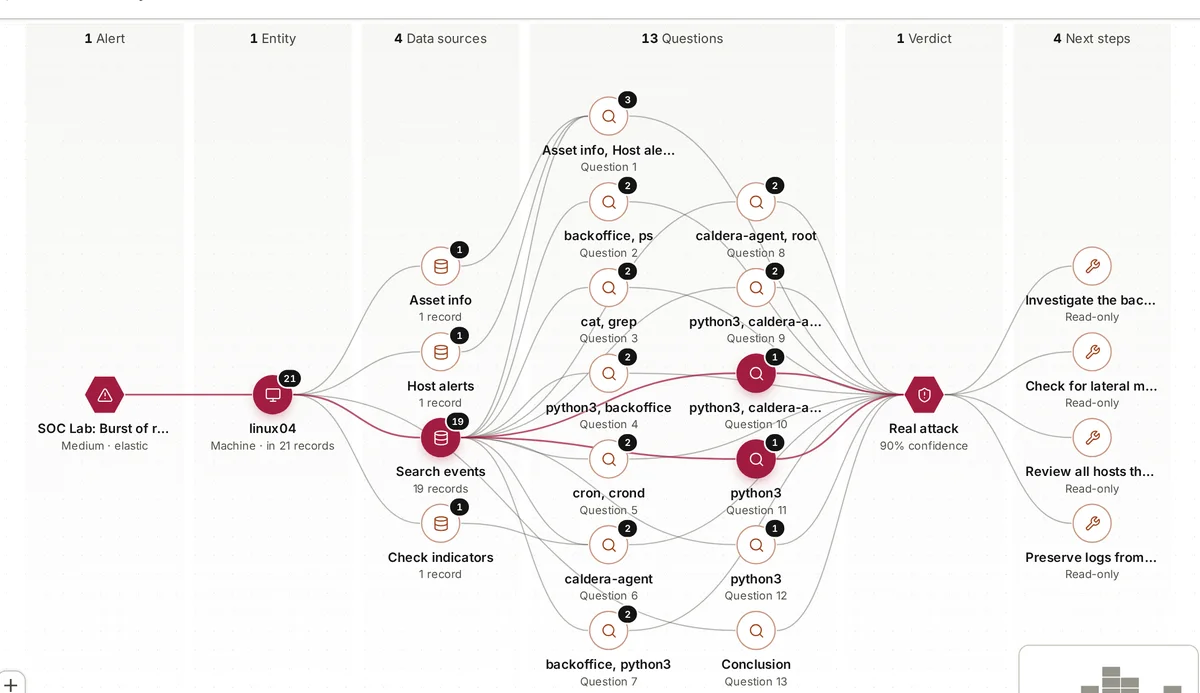
In our lab we run MITRE Caldera, an adversary-simulation tool, against Linux machines watched by Elastic Security. One run produced an alert called “Burst of reconnaissance commands” on a machine called linux04. The alert on its own said only that several discovery commands had run close together, which is also what an administrator does when they log on to check a machine.
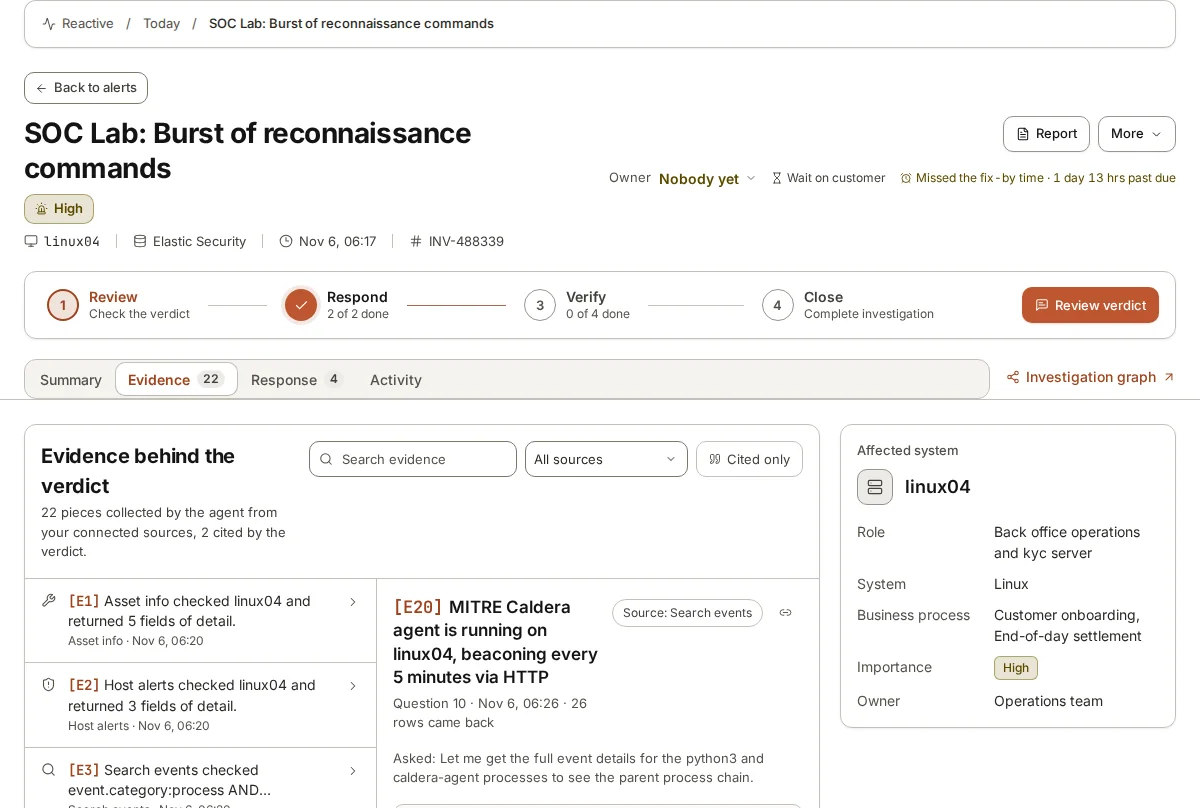
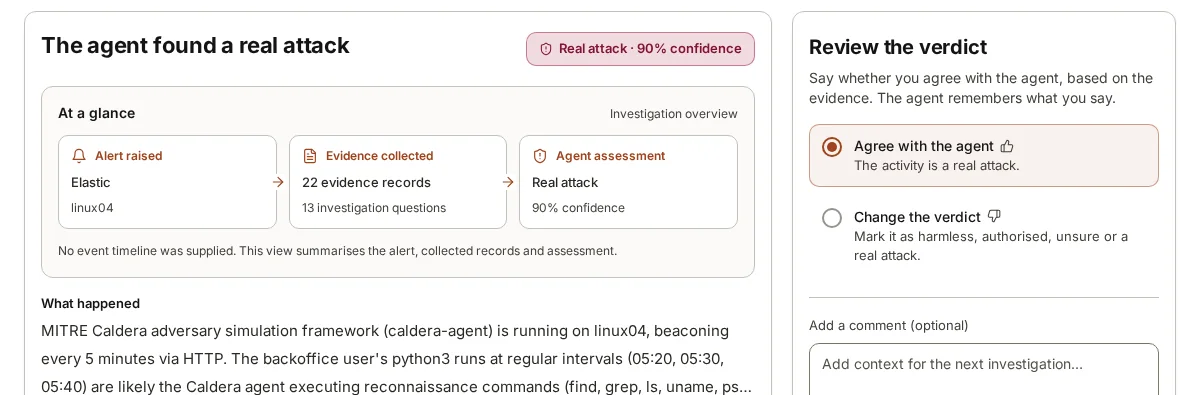
The agent asked thirteen questions and kept twenty-two records from four data sources. It looked at the commands themselves, at which process started them, at what else ran on linux04 around that time, and at where the machine was connecting. The process chain led back to a process named caldera-agent, and the network events showed it calling out over HTTP every five minutes. That regular beacon, with the discovery commands running beneath it, is what turned “an administrator looking around” into “something is controlling this machine”.
The verdict was Real attack at 90% confidence, reached in 5 min 35 s. The point of the example is not the speed. It is that each step was chosen from what the step before had shown, and that each record behind the verdict can be opened and read by the person who reviews it.
Why each record must be kept
An agent’s verdict is a claim. Records are what let a person check it. If the agent says “the process was started by a scheduled job”, the reviewer should be able to open the event that shows the parent process, not be left to take the sentence on trust.
Keeping each record has three uses. First, review: a person can read the evidence behind a verdict in a minute or two instead of repeating the investigation. Second, mistakes become visible: if the agent misread a timestamp or confused two hosts, the record it cited shows it. Third, the record outlives the alert. Weeks later, when an auditor or an incident responder asks why an alert was closed as harmless, the answer is there, with the data as it looked at the time, even if the SIEM has since rolled the raw events off.
Citing matters as much as keeping. Twenty records attached to a verdict are better than nothing, but a verdict that says which record supports which sentence is far easier to check. It also exposes sentences that no record supports, because they are the ones with nothing next to them.
The same applies to the questions. Keeping the questions the agent asked, including the ones that came back empty, shows what it did not check. A reviewer who sees no question about the user’s recent logons knows to ask that one themselves.
Where agents fall short
Agents are useful, and they have real limits that buyers should hear plainly.
None of these limits is a reason to avoid agents. They are reasons to keep a person reviewing verdicts, to keep the evidence, and to treat the agent as a fast, thorough first look rather than the last word.
- They can only read what is collected. If a machine stopped sending logs last week, no agent will find what happened on it this week.
- They can misread a record, especially fields with similar names, unusual time zones or truncated command lines.
- They can be too sure. A smooth explanation is not the same as a correct one.
- They can be steered by text inside the data they read, such as a crafted file name or command line. Any agent that reads attacker-written text has to be designed with that in mind.
- They do not know your business unless you tell them. That a server runs end-of-day settlement, or that a scan every Tuesday is authorised, has to be supplied by people.
Where armor360 fits
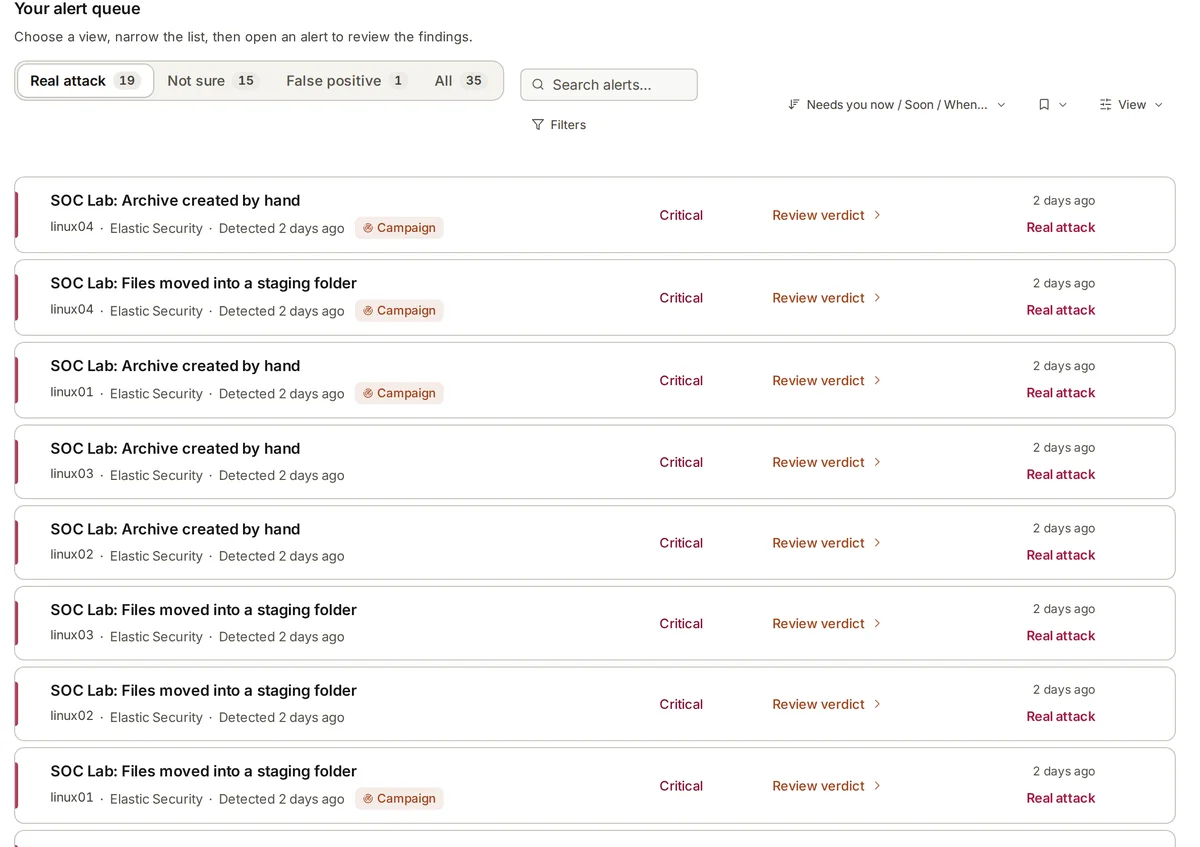
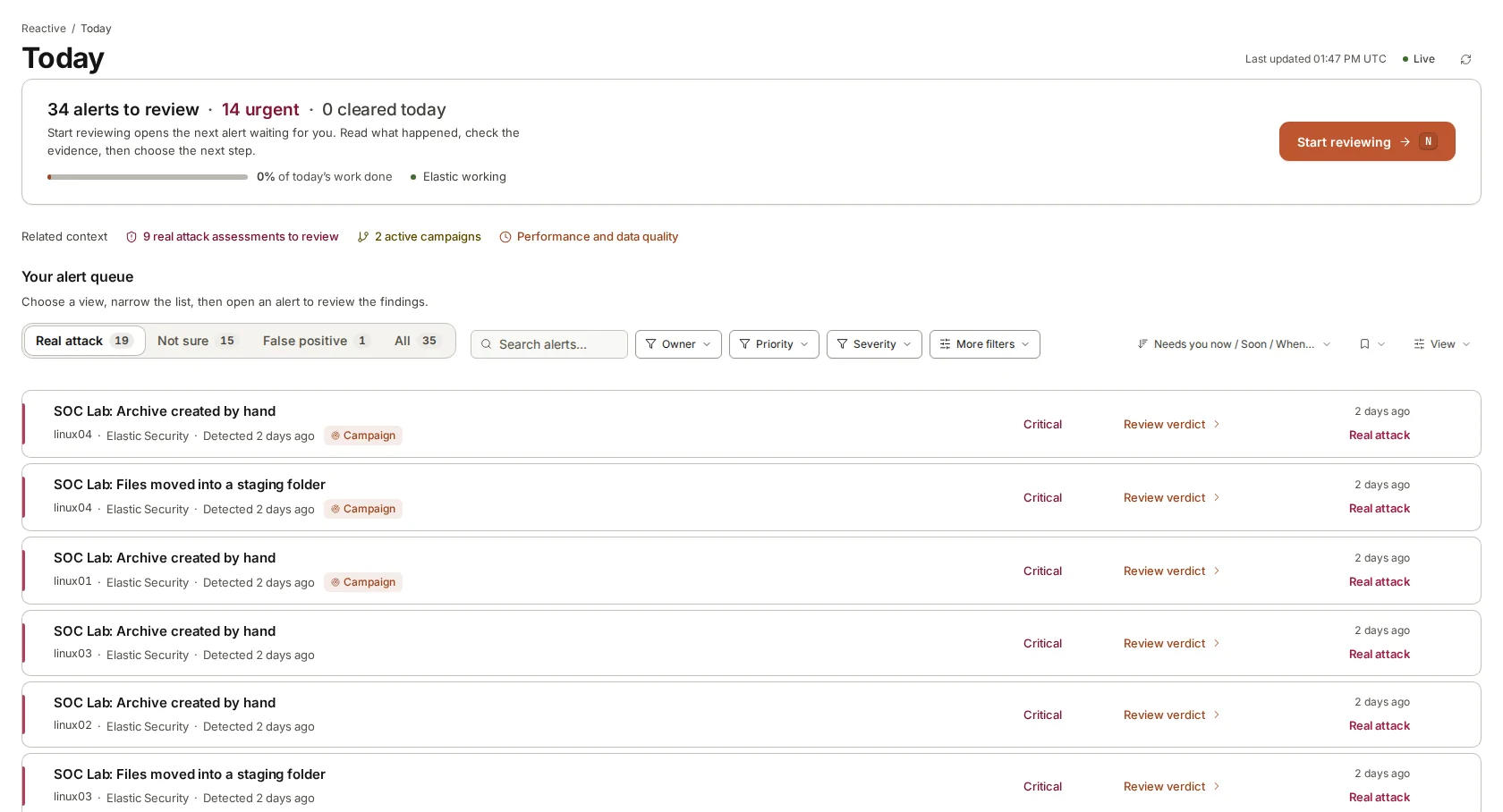
armor360 is an AI SOC analyst built on this loop. It collects alerts from Elastic Security, Splunk, Microsoft Sentinel, CrowdStrike Falcon or Microsoft Defender, investigates each one with our own model, fine-tuned by our team, keeps each record it collects and cites it where it is used, and draws the investigation map so the path to the verdict can be followed.
A person reviews each verdict and agrees with it or changes it, and corrections are remembered for later investigations. armor360 recommends next steps and takes no response actions; people decide and act.