The reality of a one- or two-person team
If your company has one or two people looking after security, you are not running a small SOC. You are running a security function that has to choose, every week, what not to do. The aim is not to copy what a large operations centre does with fewer people. It is to make sure that the few things that could really hurt the company are watched, and that someone will notice and act when they happen.
That means accepting gaps on purpose, writing them down and revisiting them, rather than discovering them during an incident. It also means using outside help and automation for the work that does not need your judgement, so your judgement is available for the work that does.
A useful test of whether you are spending time well: at the end of each week, list what you did and mark each item “needed me” or “needed someone”. Work that only needed someone is a candidate for outside help or automation. Work that needed you, such as deciding what matters to the business, talking to system owners and handling real incidents, is where your time should go.
What to cover first
Most serious incidents at mid-sized companies start in a small number of places: a stolen password, a malicious email, an unpatched system facing the internet or a laptop that runs something it should not. Cover those before anything clever.
Then make two lists that cost nothing but time. The first is your important systems and the business processes they serve, so you know what matters most when something fires. The second is who to call, inside and outside the company, when something serious happens at 2 a.m. Having that list before you need it is worth more than most tools.
Resist starting with the most interesting threats. Advanced attacks get the headlines, but they still tend to use a stolen password or an unpatched system somewhere along the way. Getting the basics watched well protects you against the ordinary and the advanced at the same time.
- Identity: logon logs from Okta or Microsoft Entra ID, with alerts for impossible travel, repeated failures and new admin rights.
- Endpoints: an EDR tool such as CrowdStrike Falcon or Microsoft Defender on laptops and servers.
- Email: filtering, and an easy way for staff to report suspicious messages.
- Internet-facing systems: patched, and their logs collected in your SIEM.
- Backups: tested by restoring, and stored where an attacker with admin rights cannot delete them.
- Log coverage: a check that each important machine is still sending logs.
Outsourcing options, in plain terms
There are a few broad kinds of outside help, and the names overlap. A managed security service provider (MSSP) usually runs or monitors security tools for you and passes alerts on, often with a first look. A managed detection and response (MDR) service usually brings its own analysts and often its own tools, investigates alerts and may take agreed actions on your machines. Co-managed arrangements split the work: they watch out of hours and you handle the business day.
Whichever you consider, the useful questions are the same. Ask them in writing and compare the answers side by side.
Outside help is often the right choice for nights and weekends, which are hard to cover with two people. It is rarely a full answer on its own, because the provider does not know your business the way you do. Someone inside still needs to decide what matters.
Watch the hand-over carefully. Many outsourcing arrangements fail not because the provider misses things, but because what they find arrives as a terse email at an hour when nobody reads it, with no evidence attached. Agree how findings will reach you, through which channel, with what detail and with what urgency, before you sign.
- Who reads our alerts at night, and how quickly do we hear about a real one?
- What will you do on your own, and what will you ask us first?
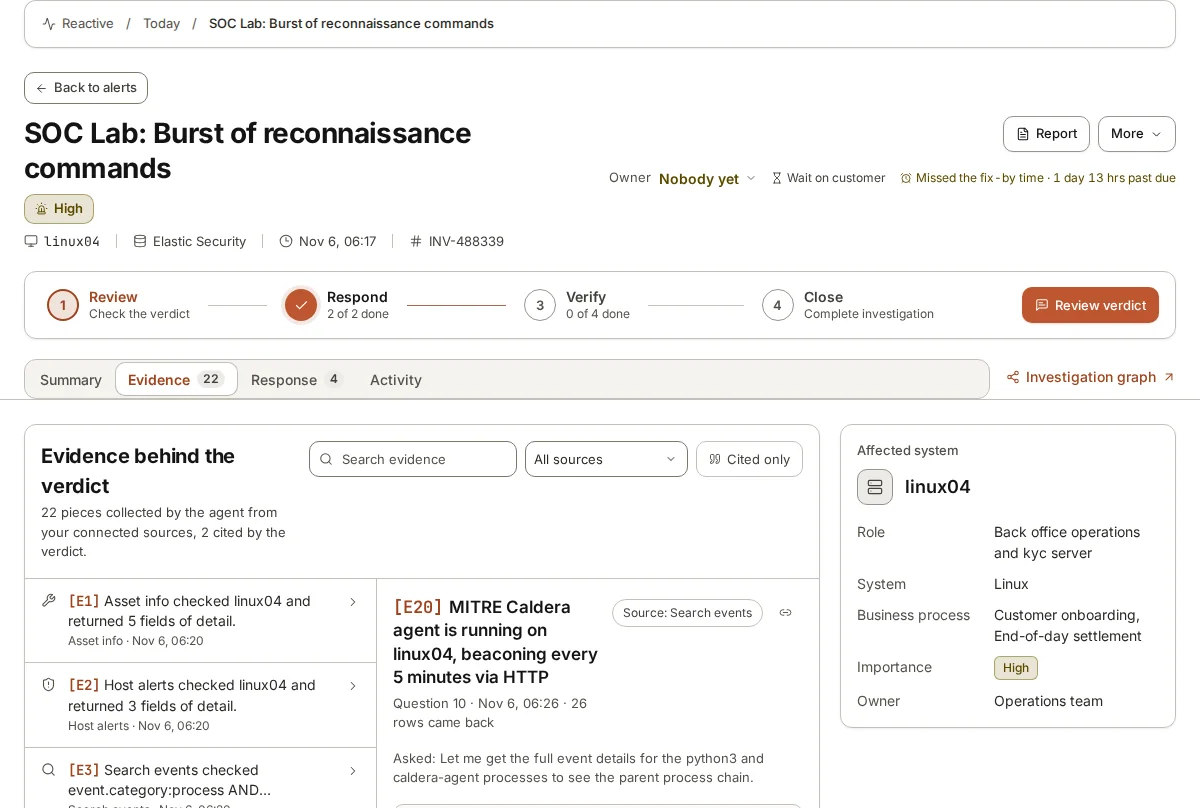
- Do we get the evidence behind each conclusion, or only the conclusion?
- Which of our log sources and tools do you support today?
- If we leave, what do we keep: rules, history, investigation records?
Where an AI analyst helps
The work that eats a small team’s week is the first look: opening an alert, finding which machine and user it concerns, searching for what happened around it, looking up addresses and hashes, and deciding whether it matters. That work is repetitive, it needs care rather than judgement most of the time, and it is exactly what an AI analyst is suited to.
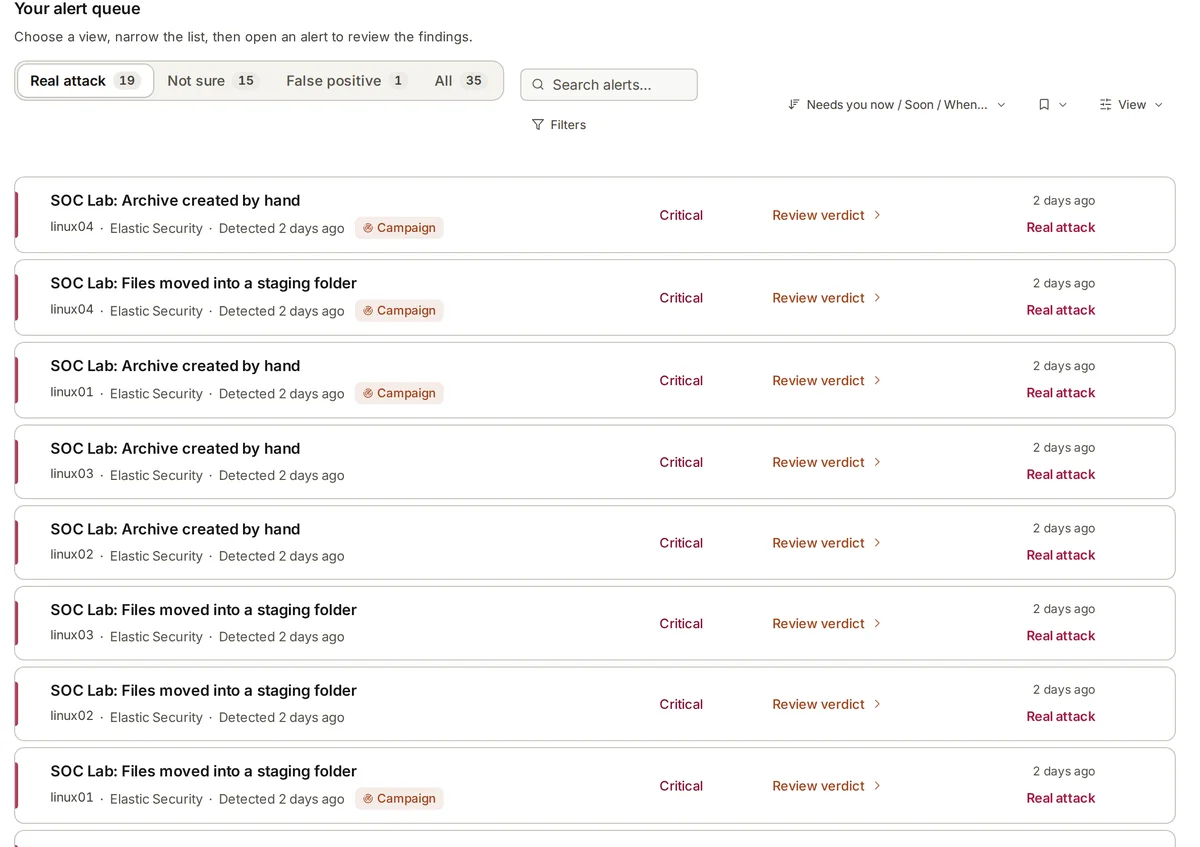
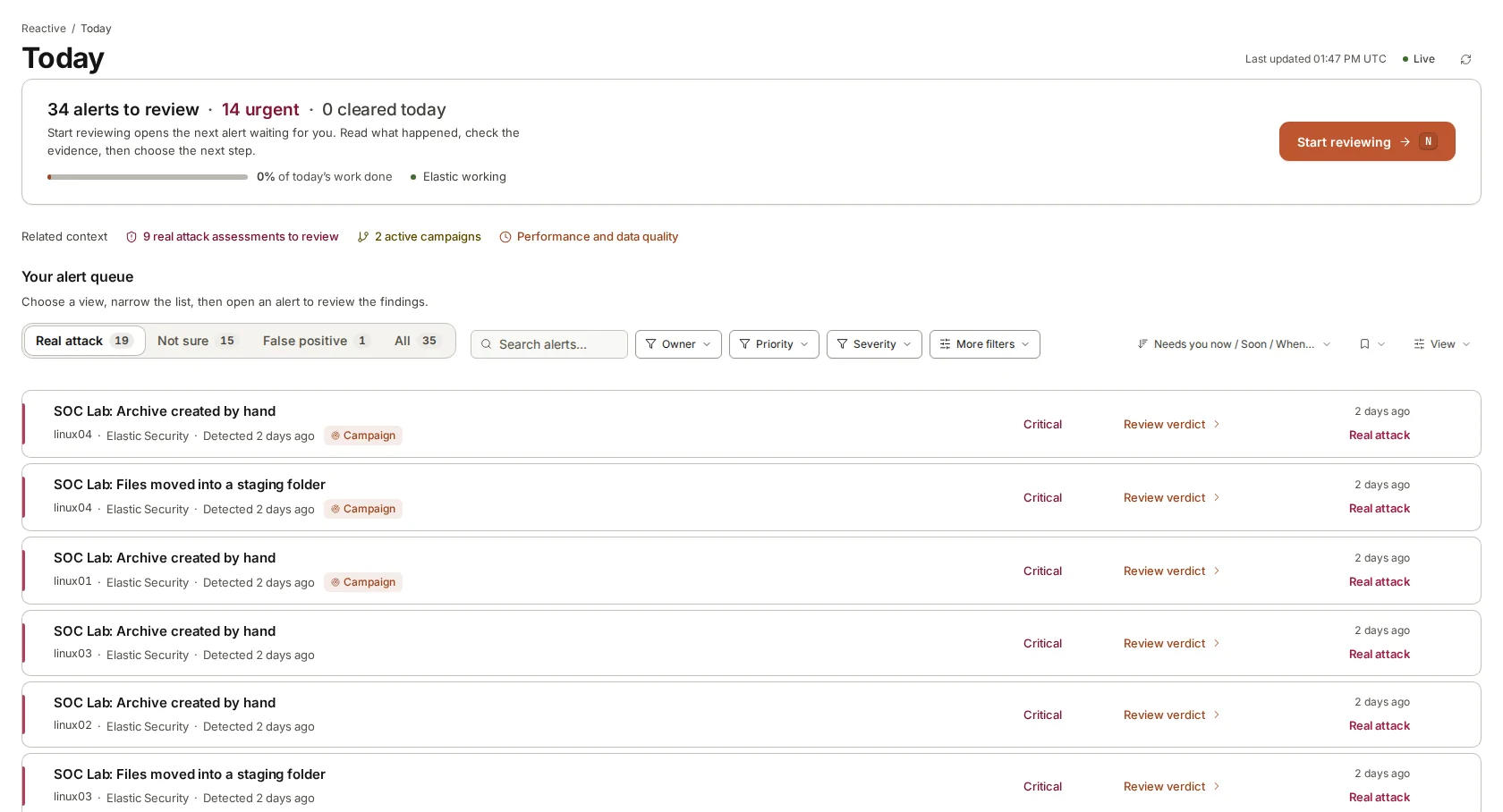
With an AI doing the first look, the queue a person sees in the morning is different. Alerts raised overnight already have a verdict, a confidence and the evidence behind them, with the likely real attacks at the top. The person reviews rather than investigates from scratch, and spends their judgement where the verdict is uncertain or the system is important.
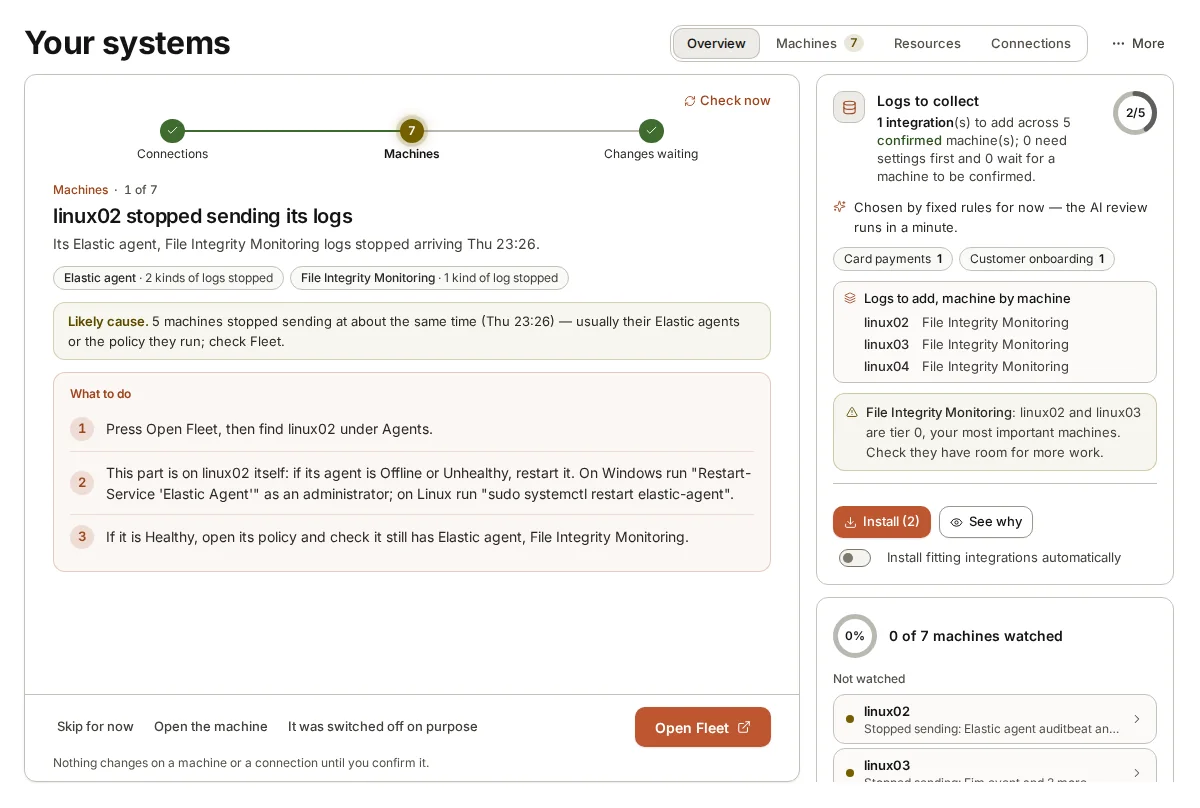
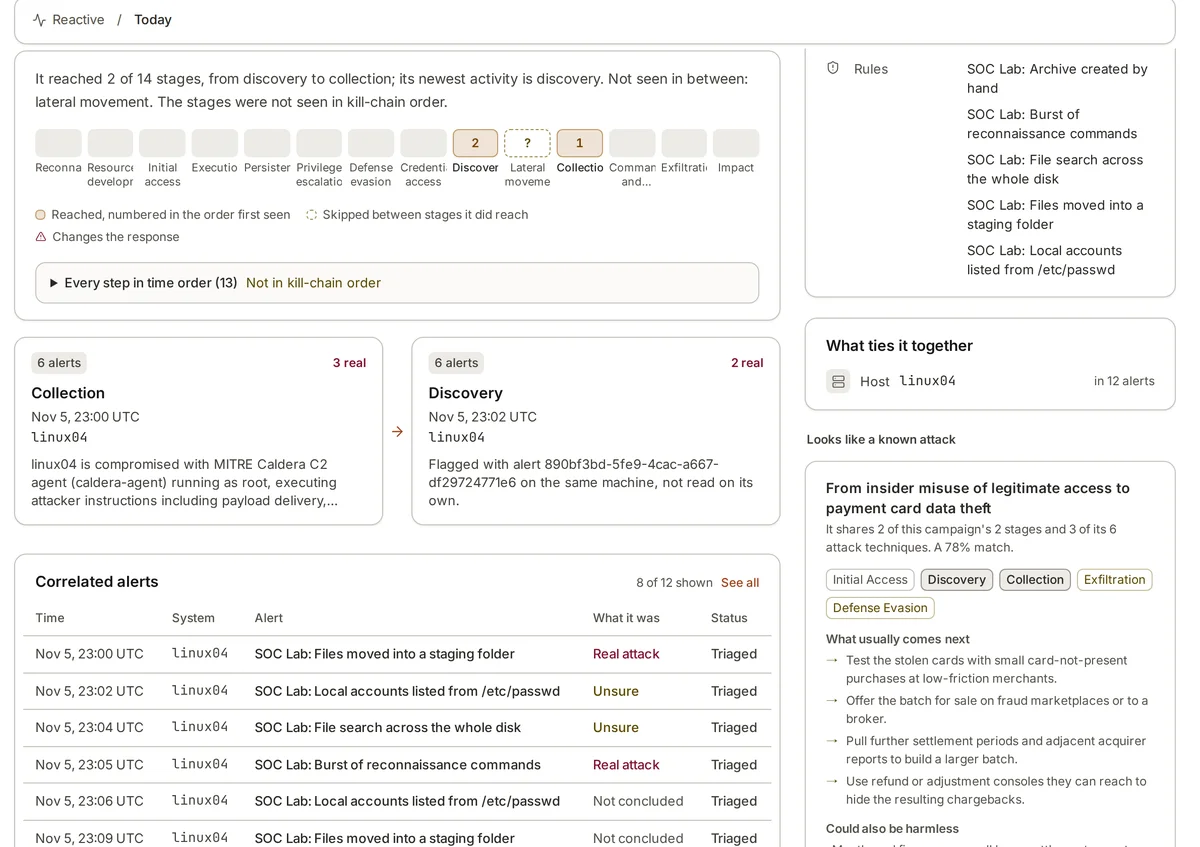
An AI analyst also helps with the jobs that small teams never get to: noticing that a server stopped sending logs, joining related alerts into one attack, or reading the results of a threat hunt.
The pairing that tends to work for small teams is an AI first look during the day and night, a person reviewing verdicts each morning and on call for the real ones, and outside incident response help on standby for the rare major event. Each part does what it is good at, and none of it pretends to be a full operations centre.
Honest limits
An AI analyst cannot see what your logs do not show. If an important server is not sending data, the verdicts about it will be weak, and fixing collection is still your job. It can also be wrong, which is why a person must review its verdicts and why its working must be visible.
Verdicts are only as good as the context they have. If nobody has told the system which servers matter or which accounts run approved scripts, it will treat the backup job that runs at 3 a.m. with the same suspicion as an intruder. A few hours spent describing your environment at the start pays back in better verdicts for months.
It is no substitute for an incident response plan either. When something serious is confirmed, you still need people to decide and act, an agreement with an outside responder if your team is too small to handle a major incident, and a tested plan for who does what. Some AI analysts, ours included, take no actions at all and leave every decision to people. That is a deliberate choice, and it means the AI is a support for your team, not a substitute for having one.
Where armor360 fits
armor360 takes the first look at alerts from the tools you already run, such as Elastic Security, Microsoft Sentinel or CrowdStrike Falcon, and gives a person a verdict with its evidence. It finds machines that stopped sending logs and joins related alerts into campaigns.
It recommends and tells your people through Slack, Microsoft Teams, PagerDuty or email; your people decide and act.